

How to Choose an Antidetect Browser: Key Criteria
An antidetect browser is the first purchase most affiliates make once they start running multiple accounts. It's also the easiest one to get wrong: the browsers all look alike, promise the same things, and the differences only surface when accounts start getting banned.
Here's how antidetect browsers actually work, which criteria matter when comparing them, and where beginners usually slip up.
What an antidetect browser is
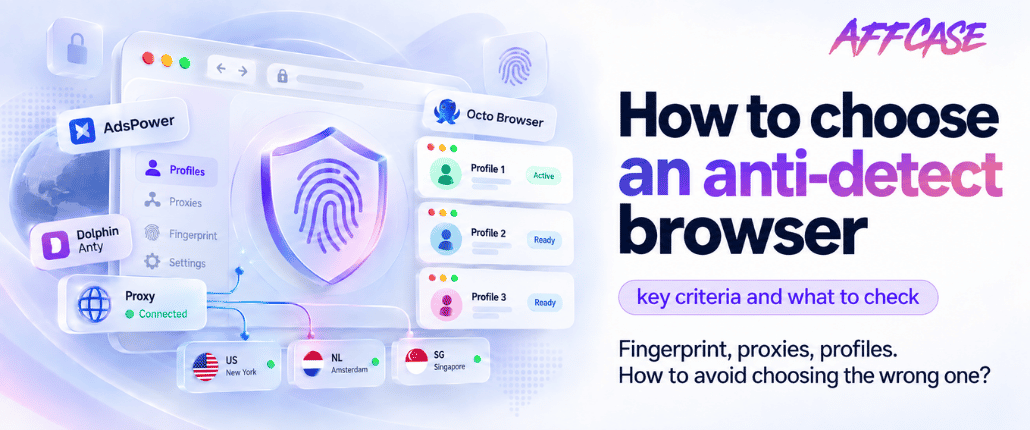
An antidetect browser lets you run multiple isolated profiles, each with its own digital fingerprint, so platforms can't link them together or treat them as one user.
To understand why you need one, you need to understand how you get identified in the first place.
How fingerprinting works
A fingerprint is the set of parameters your browser reports to every site: OS and browser version, screen resolution, timezone, language, installed fonts, graphics card properties, audio stack, CPU core count and dozens of other characteristics.
Individually none of it identifies you — millions of people share your screen resolution. But a combination of several dozen parameters turns out to be nearly unique. That's why changing your IP through a proxy doesn't help: the address is different but the fingerprint is identical, and the platform links the accounts without difficulty.
An antidetect browser solves exactly this: it spoofs parameters so each profile looks like a separate device rather than one computer behind different IPs.
Spoofing methods
There are two approaches to spoofing, and the difference between them is fundamental.
JavaScript-level spoofing — the browser intercepts a site's parameter requests and returns substitute values. Easier to build, but it leaves traces: advanced detection systems check for consistency and notice when values don't match the engine's actual behavior.
Core-level spoofing — parameters are changed inside the browser engine itself, before a site can even request them. Harder to develop, but far more resistant to checks.
Worth asking any service which method it uses. "Core level" is generally what you're paying for.
Who needs one and why
- Multi-accounting in ad platforms. The main use case: several Facebook, Google or TikTok accounts that must not be linked to each other.
- Working with overhead. Accounts get banned — that's normal in grey verticals. Profile isolation keeps one ban from taking the rest down with it.
- Team work. Several buyers sharing a pool of accounts, handing profiles between each other without losing the fingerprint.
- Account farming. Warming up requires each account to look like a real person on a separate device.
If you run a single account in a white vertical, you don't need an antidetect browser. It becomes necessary once you have more than one account and they must not overlap.
Selection criteria
Quality of fingerprint spoofing
The core parameter you're actually paying for. It's verified through testing rather than marketing claims: run a profile through fingerprint checking services and look for inconsistencies — for example, a profile claiming Windows while its graphics parameters match macOS.
Consistency deserves separate attention: timezone, system language and IP geolocation should agree with each other. A profile with a US proxy, a Moscow timezone and a Russian system language is a flag for anti-fraud.
Proxy handling
An antidetect browser without proxies is pointless: a spoofed fingerprint behind a single IP doesn't save you. Check which types are supported (HTTP, SOCKS5, mobile, residential), whether there's built-in proxy validation, and whether proxies can be assigned in bulk rather than one profile at a time.
Bulk operations and automation
Once you have dozens of profiles, manual management becomes the bottleneck. Useful capabilities: batch profile creation, importing cookies and accounts from a file, synchronized actions across profiles, an API for your own scripts.
Team access
Relevant for crews: creating team members with different permissions, transferring profiles between them, restricting access to sensitive data, seeing who did what. Irrelevant solo — critical the moment you hire your first buyer.
Profile storage and sync
Profiles can be stored locally or in the service's cloud. Cloud is more convenient for teams and multi-device work, but it means your data sits with the provider. Local storage is safer but ties you to one machine. Some services let you choose.
Stability and support
Underrated until the first outage. An antidetect browser is a working tool: if it crashes mid-campaign, that's direct losses. Look at support response times and how quickly the service ships updates after detection systems change — platforms update their algorithms regularly.
Pricing model
Plans usually scale with profile count and team seats. What matters isn't the absolute price but the cost per profile at your actual volume — a cheap 10-profile plan can work out more expensive per profile than a mid-tier 100-profile one.
Check separately whether there's a free tier or trial: that's your only way to test the spoofing before paying.
Comparison: what to check first
| Criterion | What to verify | Why it matters |
|---|---|---|
| Spoofing level | Browser core or JavaScript | Determines resistance to detection |
| Consistency | OS, timezone, language and IP agreement | Mismatches are the main anti-fraud trigger |
| Proxies | Supported types, bulk assignment | Spoofing doesn't work without proxies |
| Bulk operations | Batch creation, import, API | Saves hours once you have dozens of profiles |
| Team features | Roles, profile transfer, permissions | Critical when hiring buyers |
| Storage | Local or cloud | Trade-off between convenience and data control |
| Updates | Release cadence after detection changes | An outdated antidetect stops working |
| Plan | Cost per profile at your volume | Absolute price tells you nothing |
How to test before buying
- Take the trial or free tier. Nearly every service offers one — there's no reason to pay blind.
- Run a profile through fingerprint checking services. They show exactly what a site sees: whether parameters agree with each other and whether spoofing traces are visible.
- Test on your actual target platform. There's no universal test: a browser can pass checking services perfectly and still trigger checkpoints on a specific ad platform.
- Run the profile with a real proxy from your working GEO. A test on a local IP won't show how the setup behaves on the GEO you actually run.
- Evaluate the interface at volume. Create a dozen profiles and try a bulk operation — bottlenecks show up there, not on a single profile.
Common mistakes
- Cheaping out on proxies. An expensive antidetect with cheap datacenter proxies performs worse than a mid-tier browser with quality residential ones. It's one setup, not two independent expenses.
- Creating profiles with identical settings. If every profile has the same screen resolution and parameter set, they get linked again — now through their uniformity.
- Ignoring behavioral signals. Fingerprints aren't everything. Identical action patterns, simultaneous logins and matching click behavior link accounts too.
- Not updating the browser. Detection systems change constantly; a version that worked three months ago may already be flagged.
- Mixing projects in one profile. Personal and work accounts in the same profile is the fastest way to link them.
- Treating an antidetect as a guarantee. It reduces the chance of accounts being linked, but doesn't override creative moderation or platform account quality requirements.
Pre-purchase checklist
- ☐ Clear on which level fingerprint spoofing is implemented
- ☐ Trial tested on a real task
- ☐ Profile checked through fingerprint analysis services
- ☐ Proxy handling verified for your type and GEO
- ☐ Bulk operations available if you plan dozens of profiles
- ☐ Team access available if you're not working solo
- ☐ Cost per profile calculated at your actual volume
- ☐ Reviews on stability and support speed read
FAQ
Why do I need an antidetect browser if I have proxies?
A proxy only changes your IP address. Platforms identify users by the combination of browser and device parameters — the fingerprint. Different IPs with an identical fingerprint still get linked together.
Can you work without one?
If you run a single account in a white vertical, yes. As soon as you have several accounts that must not overlap, profile isolation becomes mandatory.
Is incognito mode a substitute?
No. Incognito clears cookies and history, but the device fingerprint stays identical. To the platform it's the same user.
Does an antidetect browser guarantee accounts won't get banned?
No. It reduces the risk of accounts being linked to each other, but has no effect on creative moderation, account quality or behavioral signals. Bans for those reasons happen with any browser.
How many profiles do you need starting out?
Depends on your source and vertical. The logic is simple: pick a plan matching your actual workload rather than buying ahead — plans can usually be upgraded anytime, and paying for unused profiles serves no purpose.
What matters more — the antidetect or account quality?
They're one setup. A good antidetect won't save auto-regs that get banned on first launch, and a trusted account can be burned by poor profile isolation. It makes more sense to economize on one than on both.
What's next
An antidetect browser is part of a setup that also includes proxies, a tracker and accounts. The AffCase catalog lists affiliate tools with their terms, pricing and real reviews from people who've used them — including how well they hold up under load and how fast support responds.
Open the tools catalog and compare before buying, not after the first ban.